
From Printed Record Sheets to Digital Tables: How Layouts Change Context
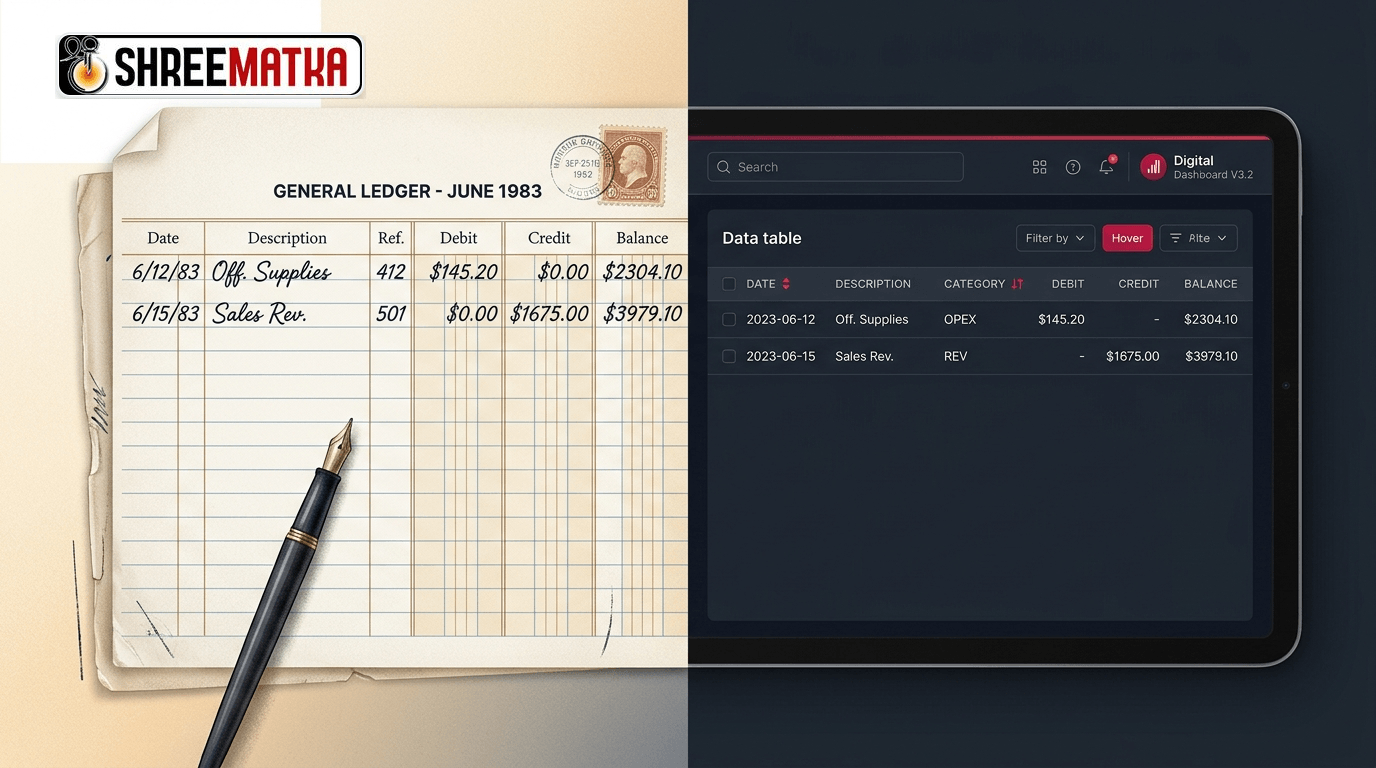
When historical information transitions from physical paper to digital screens, readers often assume they are viewing an identical replica of the original archive. In reality, the medium through which data is presented actively shapes how human beings interpret relationships between individual numbers, categories, and chronological periods. Understanding the differences between printed records vs digital tables is essential for researchers, analysts, and everyday readers evaluating historical datasets.
A layout is never purely aesthetic; it is an informational framework. Physical sheets impose constraints such as page margins, fixed print widths, and immutable ink boundaries. Digital tables, by contrast, operate inside dynamic browser viewports with sorting mechanisms, fluid reflows, and horizontal scrollbars. While the recorded numeric figures themselves may be preserved with strict precision, shifting their presentation container inevitably alters the visual context.
In this analysis, we examine how printed record sheets communicate through their physical arrangement, how modern responsive web tables re-order and compartmentalize identical fields, and why an apparent difference in visual structure does not indicate an inconsistency in the underlying historical record.
What a Printed Record Sheet Communicates Through Its Physical Layout
For decades before the advent of web portals, public records, trade figures, and numerical market logs were circulated on paper sheets, cyclostyled bulletins, and lithographic broadsheets. The paper sheet offered distinct cognitive anchors that modern computer monitors rarely duplicate:
- Spatial Proximity as a Temporal Cue: On a physical broadsheet, rows and columns were constrained by sheet size. Five consecutive days or seven market sessions were often arranged side by side across a single physical fold. The human eye could scan horizontally across Monday to Sunday without breaking gaze or scrolling.
- Fixed Coordinate Systems: A reader familiar with a specific weekly print sheet knew that the top-right box always held the weekend close, while the bottom margin contained publisher imprints or weekly cumulative totals. The location of a value on the page served as a secondary identifier.
- Physical Permanence and Ink Artifacts: Once ink met paper, the record was immutable. Annotations, manual corrections, or printer typos remained visible on the page forever. Readers developed an instinctive understanding of print quirks, such as ink bleeding or misaligned matrix lines.
- Boundary Enclosures: A printed page had an absolute beginning and an absolute end. A reader knew instantly whether they were viewing a complete weekly block or an incomplete fragment simply by observing the page borders and header mastheads.
Because paper could not dynamically re-sort itself or collapse columns on narrower screens, the creator of the paper document had to design a rigid layout that balanced density with legible line spacing.
How Digital Tables Organize the Same Kinds of Fields
When those identical entries are digitized into relational database schemas and rendered as HTML tables, the presentation logic changes fundamentally. Instead of a fixed physical canvas, digital environments prioritize responsiveness, searchability, and modularity:
| Structural Feature | Physical Printed Record Sheet | Modern Responsive Web Table |
|---|---|---|
| Canvas Dimensions | Fixed physical dimensions (e.g., A4, Legal, Folio). | Dynamic viewport (adapts from 360px mobile to 4K desktop). |
| Chronological Flow | Horizontal or vertical based on printer template. | Standardized linear row hierarchy, often sorted descending. |
| Field Relationships | Spatial proximity across static margins and folds. | Relational database cells linked by database keys. |
| Overflow Handling | Multi-page pagination or multi-column newspaper blocks. | CSS overflow containers (overflow-x: auto), horizontal scroll. |
| Header Persistence | Repeated only at the top of physical page breaks. | Fixed/sticky table headers (position: sticky) during continuous scroll. |
| Value Formatting | Manually typeset strings (e.g., "03", "-", "--"). | Normalized data types (strings vs integers vs boolean flags). |
In a modern web application like ShreeMatka's charts directory, data is structured cleanly to ensure that readers navigating on small smartphone displays do not encounter broken grids or clipped margins. However, achieving responsive fluidity means breaking away from the static, broadsheet-style horizontal scanning that characterized print editions.
Why Column Names, Dates, and Row Sequences Matter
The fundamental building blocks of any tabular record are its headings, date stamps, and sequencing rules. When reading records across media, misunderstandings frequently arise when readers focus exclusively on raw digits while ignoring their positional coordinates:
1. Positional Dependencies
In many numerical formats, such as opening figures, closing figures, or derived sum digits, the position of a column defines its identity. If a physical print placed the Open Ank on the left and the Close Ank on the right, but a digital mobile layout stacks them vertically to prevent horizontal clipping, an inattentive reader might misinterpret the chronological order of the draw.
2. Calendar Conventions
Printed records frequently relied on shorthand notation (such as 05/10/26 or Mon-1), assuming the reader possessed local context regarding the month, week cycle, or year. Digital archives require explicit ISO dates (2026-10-05) to prevent database indexing errors. A reader comparing an old paper sheet marked Week 41 against an ISO-dated web entry must recognize that the categorization scheme has evolved, even when the daily numbers match exactly.
3. Row Directionality
Archival broadsheets generally read chronologically from top to bottom (earliest entry at the top, latest at the bottom) to mimic standard bookkeeping practices. Modern web interfaces, by contrast, frequently sort reverse-chronologically (latest result at the top) so that visitors seeking today's figures do not have to scroll past thirty years of archives. Reversing the sorting sequence completely alters the visual trajectory without changing any historical fact.
What Changes When Records Move Between Formats
The transition from physical media to electronic formats is rarely a simple copy-paste procedure. Several structural adaptations take place during the digitization lifecycle:
[Physical Ledger / Print Sheet]
        │  (Manual Transcription or OCR Scanning)
        ▼
[Normalized Database Table]  ──► Relational Schema (Date, Category, Open, Jodi, Close)
        │  (Responsive Front-End Rendering)
        ▼
[Interactive Web Viewport]   ──► Dynamic CSS, Sticky Headings, Mobile Overflow Containers
- Loss of Editorial Typography: Print sheets frequently used custom letterpress fonts, hand-drawn separating rules, and distinctive decorative borders that cannot be rendered efficiently in lightweight web markup.
- Separation of Content from Style: On paper, the layout is the record. In web engineering, the raw text lives in a clean database or Markdown file, while CSS stylesheets handle the visual presentation. The exact same data can look like a spreadsheet on a desktop computer, a vertical list on an iPhone, or a compact card on a smartwatch.
- Normalization of Irregular Notes: Historic printed sheets frequently contained scribbled marginalia, such as "Market closed due to public holiday" or asterisked disclaimers in the footer. In digital schemas, these irregular observations are typically converted into standardized status tags or documented in dedicated data sourcing policies.
Why a Change in Layout Does Not Prove a Change in Underlying Data
A common pitfall among historical researchers is assuming that if a digital table looks different from a remembered paper print, the records have been tampered with or altered. This assumption conflates presentation structure with informational content.
Consider a basic historical entry consisting of three distinct fields:
- A session identifier
- A 3-digit panel
- A 2-digit central value
On a 1980s broadsheet, these three items might have been arranged in a triangular cluster to save horizontal space on expensive paper rolls. On a 2026 web application, they are structured inside three distinct HTML table cells with CSS padding, semantic table headers (<th>), and accessible contrast ratios.
The visual geometry has shifted from a triangular print cluster to a linear data grid. Yet the digits, their chronological assignment, and their mathematical relationship remain completely unaltered. Discrepancies in layout reflect the requirements of modern digital accessibility standards—such as touch target sizing, responsive viewports, and assistive screen reader compatibility—rather than revisions to historical occurrences.
Practical Guidance for Readers Cross-Referencing Tabular Records
When comparing modern digital tables with physical archives, photographs, or scans, apply the following systematic methodology:
- Isolate the Primary Coordinate: Identify the exact calendar date (
YYYY-MM-DD) and market name first. Do not rely on page position or relative row order. - Verify Field Definitions: Look at the column header rather than the column's left-to-right position. Confirm whether a column represents an initial draw, a combined result, or a closing summary.
- Examine Sorting Rules: Check whether the digital table is sorted oldest-first or newest-first. Click the table column header or check the URL parameters if sorting is interactive.
- Inspect Container Overflow: On mobile screens, look for horizontal scroll indicators. If a digital table appears to cut off after two columns, scroll horizontally to reveal remaining metrics that may be tucked inside an accessible scroll container.
- Consult Documented Methodologies: If an anomaly appears, consult the platform's editorial framework or about us reference documentation to understand how historical archives were processed.
Summary Checklist: Comparing Paper vs Digital Formats
| Verification Step | Paper Sheet Inspection | Digital Table Inspection |
|---|---|---|
| 1. Header Check | Locate printed title block at top of page. | Check sticky table header row (<th> elements). |
| 2. Sequence Check | Verify page number and calendar week banner. | Check timestamp metadata and active sorting order. |
| 3. Coordinate Check | Measure row against printed margin guides. | Confirm values align under correct column key. |
| 4. Integrity Check | Inspect for physical paper tears or ink fading. | Ensure full table loaded without network interruption. |
Frequently Asked Questions
1. Does converting paper charts to HTML tables alter the original numbers?
No. Converting paper records to digital tables reorganizes the visual layout and container structure, but the numeric values themselves remain separate data points. When transcribed with integrity, the historical digits do not change simply because they are rendered using modern CSS and HTML tables rather than printed ink.
2. Why do digital tables sometimes show data in a different sequence than old paper prints?
Printed sheets traditionally recorded events in ascending chronological order from top to bottom. Digital websites frequently adopt descending order (newest dates at the top) so that active users can see current results immediately without scrolling through decades of historical archives.
3. How can I verify that a digital table accurately reflects an archival document?
To verify an entry, match the specific calendar date, market identifier, and distinct column headers between the digital page and the archival source. Avoid comparing visual row position alone, as responsive screen resizing and alternate sorting orders change where a row appears.
4. Why are headers sticky or repeated in modern web tables?
On long web pages, sticky headers remain pinned to the top of your screen as you scroll down. This ensures that you can always see which column heading corresponds to each numeric value, replacing the need to flip back to the top of a multi-page printed document.
Disclaimer
Visiting and browsing this website is strictly at your own risk. All information available here is for informational and entertainment purposes only and is based on number calculations. We are not associated or affiliated with any illegal Matka business. We make every effort to follow the rules and regulations of the regions from which the website is accessed. There is a chance the website may be banned in your area; if you continue to use it after that, you alone are responsible for any damage, loss or legal action that may follow. Satta Matka may be illegal in your jurisdiction — please be aware of and comply with your local laws. Gambling can be addictive; players must be 18 or older, and underage gambling is strictly prohibited. If you do not agree with this disclaimer, please leave the website immediately. Copying any content posted on this website is strictly prohibited.