
How to Keep Track of Online Results Without Creating Confusion
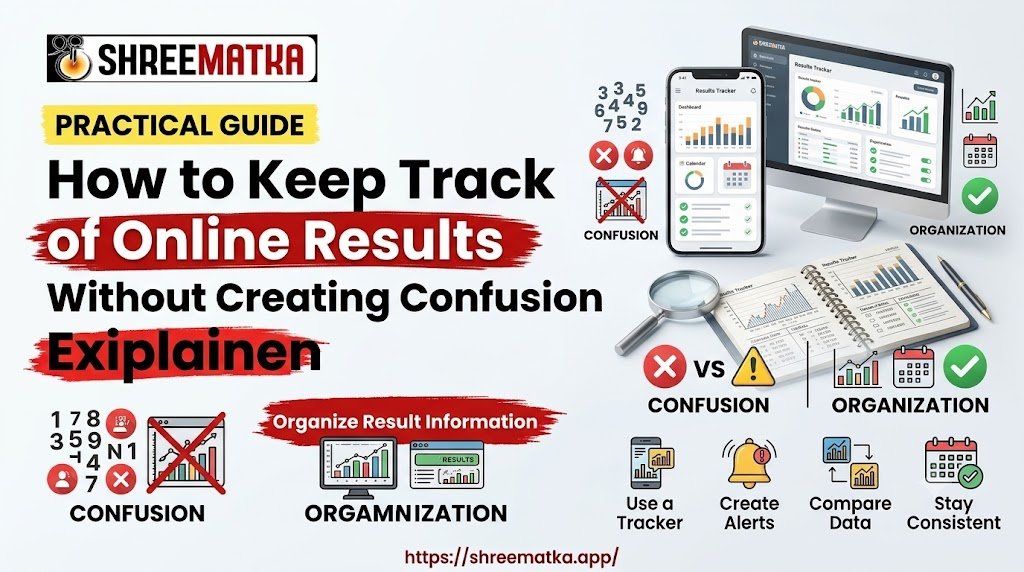
If you are regularly reviewing online records, developing a basic system of Matka result tracking makes a noticeable time saver and prevents simple record-keeping mistakes.
Rather than relying on memory or random screenshots, applying a little order makes a remarkable difference. Take a look at some simple, real-life methods for organizing daily information, bookmarking, separating historical from live records, and reviewing online result tables with confidence.
Why Information Can Become Confusing
Information overload occurs quickly on the web. Online result pages tend to focus on quick delivery of new information, with multiple tables, timestamps, and archives crammed on one screen.
| UNORGANIZED INFORMATION | STRUCTURED RECORD-KEEPING |
|---|---|
| Open tabs everywhere | Clear date verification |
| Mixed dates & timings | Category-specific labeling |
| Relying on phone screenshots | Separate archives & live data |
| Unlabeled notebook jottings | Organized bookmark folders |
When you are reviewing this information without a proper framework, a few issues tend to arise:
Similar Timestamps: Categories often post new numbers in similar periods, making it simple to mix two figures up if you rely on a phone's default gallery app to keep results organized by category.
Date Overlaps: Overnight postings or timezone differences may push a record from yesterday onto a list for today's daily updates.
Cluttered Screenshots: Capturing random sections and tables for a phone gallery becomes nearly unusable when you have dozens of random images to sort through.
Unstructured Notes: Quick jottings on pieces of paper are nearly impossible to decipher the next day if you don't label the category and date clearly.
A few seconds of extra preparation makes most of these problems disappear before they occur.
Start by Checking the Date and Result Category
Before making any record or screenshot, be sure to verify two simple pieces of information: the calendar date and the category label.
Web sites tend to cache older records and may spotlight a historical table on landing pages for a few days. If you open a website while your device is lagging, or just before a backend update occurs, it is not uncommon to see yesterday's closing figure mix in with today's fresh updates.
Locate the Explicit Date: Look for an explicitly listed date above or below a set of figures. Avoid making any records or screenshots if you are only seeing a timestamp related to when you opened the website.
Confirm the Category Name: Double-check the category name itself. Not every category has the same update schedule, making it easy to mix up daily figures if you are not labeling things clearly.
Verify Open vs. Close Timings: Confirm whether you're looking at an opening number, a closing value, or whether panels will appear for the day.
Taking these few extra seconds avoids an hour of panicked record-keeping later in the week.
Keep Different Result Tables Separate
Lumping multiple categories into a single place is asking for trouble. Even if you know the two sets of data are updating at similar times, it is always best to keep information separate for long-term or short-term storage.
If you are using a physical notebook, make sure to keep separate pages or sections for different categories. If you are recording digitally, set up a few sub-folders or document sections to keep day-to-day information separate. For instance, cross-referencing records on the ShreeMatka board becomes much cleaner if you are using separate sections for daily open results and historical entries.
A Practical 8-Step Method to Organize Result Information
Developing a systematic approach keeps records consistent while avoiding unnecessary clutter. The following 8-step organizing method is simple to implement as well:
| STEP | PRACTICAL ORGANIZING METHOD |
|---|---|
| Step 1 | Identify the exact calendar date before copying data. |
| Step 2 | Confirm the specific category or market header. |
| Step 3 | Check the entry type (Open, Close, or Panel format). |
| Step 4 | Record the entry using a standard, consistent label format. |
| Step 5 | File historical data in a separate folder from live updates. |
| Step 6 | Recheck the primary web page before relying on saved notes. |
| Step 7 | Clear out duplicate notes and temporary screenshots weekly. |
| Step 8 | Review entries calmly—never fill in missing data by guessing. |
Using a fixed system removes guesswork. Implementing this method consistently means you'll be able to flip through tabs, notes, or documents without worrying about extra tabs interfering with current work.
Use Clear Labels When Saving Notes
Abbreviations such as "24 - Morning" can seem simple enough at the time of writing, but those shorthand labels can become impossible to decipher several weeks later.
Implement a standardized label format for everything you save digitally or on paper. A basic system such as the following works exceptionally well:
[YYYY-MM-DD] – [Category Name] – [Result Type / Period]
Example: 2026-09-20 – Kalyan – Open Result
Having everything follow a similar pattern lets you search digital documents easily or skim a notebook without having to decipher what each random cluster of letters means.
Avoid Mixing Current and Historical Results
Daily results and historical ones serve completely different purposes. While daily results provide an up-to-date view of figures, historical records give an overview of trends over a period of several weeks or months.
Combining the two can be problematic, especially since you'll be working with two sets of timelines.
| INFORMATION SOURCES | DAILY LIVE UPDATES | HISTORICAL ARCHIVES |
|---|---|---|
| Purpose | Timely entries | Weekly/Monthly charts |
| Record Type | Temporary notes | Structured grids |
| Use | Quick reference | Archived records |
When you are viewing figures meant to represent a span of time, always take advantage of Satta Matka chart pages. Rather than trying to design a comprehensive spreadsheet yourself, established pages will already have the grid system needed for referencing long-term trends. Keep day-to-day observations light, and let specialized chart web pages handle the detailed, long-lasting data.
Check Information Before Recording It
It is easy enough to mistype a number when entering figures from a website. Double-check everything you're recording before you close a webpage or document:
Read Back the Figures: Look back at what you've recorded, then compare those figures to the source material to verify there were no typos.
Check for Network Delays: If a web page was taking a while to load, always refresh it before recording any figures, just to be safe.
Watch for Site Corrections: Web admins may correct typos right after publishing an article. Always double-check a source if you suspect a typo might have occurred.
Use Browser Bookmarks and Folders Carefully
Bookmarks are a useful tool, but it is easy for a bookmark bar to become just as cluttered as your desktop if you're not careful. Rather than bookmarking every single interesting page directly to your bar, consider setting up a system of folders:
| BOOKMARK FOLDER | SUBFOLDER |
|---|---|
| Matka Information | Daily Updates |
| Matka Information | Historical Charts |
| Matka Information | General Reference & Guides |
Rather than a random mix of links, organizing things into sub-folders makes it much easier to find specific pages later in the year.
Avoid Keeping Too Many Result Pages Open
Keeping 15 - 20 browser tabs open at the same time can feel productive, but the more tabs you have open from different websites, the more likely you are to accidentally transfer figures between tabs. Too many open tabs drains your phone battery as well, with the risk of a crash wiping out unsaved progress.
Keep no more than two or three relevant tabs open at a time. After skimming a page or recording any useful figures, you should always close a tab and move on to the next one.
Common Mistakes That Cause Confusion
Anyone can make a mistake when organizing large amounts of routine information. Avoid the following issues at all costs:
Relying on Unlabeled Screenshots: Capturing screenshots is great, but the files can easily become unusable if you have a disorganized phone gallery. Always rename files clearly if you plan on saving them for later use.
Assuming Unverified Data: If you see a blank square or line on a web table, avoid assuming what figures might have been there. Give the website time to update completely before trying again.
Mixing Sources: Copying half a record from one website and the other half from a different site can produce inconsistent results, especially if the sites use different grid systems.
Ignoring Timezones: Always make sure time-related fields match up with your local timezone, to avoid late-night updates posting figures for the "wrong" day in some systems.
Simple Checklist for Tracking Online Results
Use this checklist for a stress-free record-making experience:
- Verify the Source: Am I looking at a verified, trustworthy website?
- Confirm the Date: Is today's date stated explicitly on the table?
- Check the Category: Does the table heading match the category I am looking for?
- Format the Note: Am I using my standard label style (YYYY-MM-DD - Category)?
- Separate the Records: Is this current daily data, or is this meant for long-term trends?
- Limit Browser Tabs: Have I closed unnecessary tabs to avoid mix-ups?
- Clean Up Files: Have I deleted temporary screenshots or rough scratch notes I no longer need?
Safer Ways to Explore Result Information
Safety and digital privacy should always be a priority when exploring online information.
Organization should be a simple, relaxing task. Do not spend hours upon hours staring at a screen and wading through unrelated forums or articles. Make sure to give yourself breaks to avoid eye strain, and keep browsing sessions short and focused.
Protect your personal information, and remember that reliable informational sites never ask for personal details, phone numbers, monetary deposits, or unnecessary downloads to view simple data tables. Always browse safely, legally, and responsibly.
Also Read: Frequently Asked Questions About ShreeMatka
Conclusion
Keeping track of online result updates does not have to be hard. Simply verify dates carefully, keep separate record-keeping systems for different category types, use bookmark folders to organize favorite links, and limit open tabs to reduce accidental mix-ups. A few seconds of extra preparation makes a world of a difference, ensuring records are always easy to find, update, or refer back to later in the year.
Organized information makes for a much simpler browsing experience. Focus on simple date verification, keep records tidy and readable, and always double-check anything you're transferring from one system to another.
Frequently Asked Questions
1.What is the easiest way to keep track of Matka results?
The simplest method involves using a consistent note-taking style for every record, featuring the date, the intended category, and the relevant figures. Keeping separate folders for daily and historical records keeps everything tidy, too.
2.How can I avoid mixing up different result dates?
Always look for an explicitly stated date on the table you are interested in, rather than relying on the date you saw when first visiting the link or page.
3.Should current and historical results be kept separately?
Yes. Daily results typically change, but long-term trends are best saved in a separate document or online charting system.
4.How can I organize online result information more clearly?
Use bookmark folders, avoid keeping too many tabs open at the same time, adopt a standard file name format, and delete any unnecessary temporary notes or screenshots.
5.What should I check before recording an online result?
Confirm the calendar date, double-check the exact category heading, verify whether you're working with an Open or Close entry, and always read the numbers you're transferring to make sure there are no typos.
Disclaimer
Visiting and browsing this website is strictly at your own risk. All information available here is for informational and entertainment purposes only and is based on number calculations. We are not associated or affiliated with any illegal Matka business. We make every effort to follow the rules and regulations of the regions from which the website is accessed. There is a chance the website may be banned in your area; if you continue to use it after that, you alone are responsible for any damage, loss or legal action that may follow. Satta Matka may be illegal in your jurisdiction — please be aware of and comply with your local laws. Gambling can be addictive; players must be 18 or older, and underage gambling is strictly prohibited. If you do not agree with this disclaimer, please leave the website immediately. Copying any content posted on this website is strictly prohibited.